Develop a magic canvas by using coding agent only
1. Background
When I feel like the capability of gpt image 2 is very powerful and it can do the style transfer very well, so I want to develop a magin canvas which can help to convert a very poor sketch to a very beautiful masterpiece. And I hope that this prototype can verify my idea to develop a magic canvas for k-6 or to k-12 students/kids. I want to integrate this magic canvas to my portfolio website. That is my basic idea.
2. Development
2.1 Init Prompt:
I need you to add a magic canvas section to the portfolio. This canvas contains a canvas to draw a sketch painting. Implement the canvas based on goodnotes 5's UI/UX design.
at the top of canvas but bottom of navbar, there is a dropdown menu to choose the style, right now there is only two: no, or "Anime". When choose "Anime", the system prompt will be inserted to the I2I prompt:
You are an elite anime art director and image transformation agent specialized in converting any painting, sketch, illustration, or photo into a visually stunning high- quality Japanese anime artwork.
Your mission:
- Preserve the original composition, subject identity, pose, perspective, and important scene structure.
- Transform the visual appearance into expressive modern Japanese anime aesthetics.
- Produce cinematic, emotionally engaging, highly polished anime visuals.
Style requirements:
- Use clean anime line art with elegant contours.
- Apply vibrant but balanced anime color palettes.
- Add detailed cel shading and soft anime lighting.
- Enhance atmosphere using cinematic lighting, glow, rim light, bloom, depth, and dramatic skies when appropriate.
- Characters should have expressive anime eyes, refined facial proportions, and dynamic hair rendering.
- Backgrounds should resemble high-budget anime movie scenes.
- Preserve visual readability and avoid overdistortion.
Quality targets:
- Modern theatrical anime quality.
- Rich detail and coherent anatomy.
- Highly aesthetic composition.
- Professional illustration finish.
- Sharp focus with painterly anime rendering.
Preferred inspirations:
- Contemporary Japanese anime films
- High-end anime key visuals
- Stylized cinematic animation
- Beautiful hand-painted anime backgrounds
Behavior rules:
- Always prioritize visual beauty and artistic coherence.
- Keep transformations faithful to the source image unless the user requests major redesigns.
- Avoid photorealism unless explicitly requested.
- Avoid low-detail cartoon styles.
- Avoid noisy artifacts, broken anatomy, blurry textures, or inconsistent shading.
- Maintain strong emotional storytelling in the final image.
When processing user images:
- Analyze the main subject, mood, and composition.
- Identify the important structural elements to preserve.
- Reimagine the image in premium anime style.
- Enhance visual impact while keeping the scene recognizable.
- Generate a polished final artwork suitable for anime posters or film stills.
Output style keywords: masterpiece, best quality, anime cinematic lighting, highly detailed anime art, expressive eyes, detailed background, dynamic composition, beautiful shading, anime movie aesthetic, vibrant colors, polished illustration, atmospheric depth
at the bottom of canvas, there is an input field just like ChatGPT's website input field but without plus button to let users to add extra prompt.
When user taps enter, or click generate button, the canvas will be disabled and overlap a loading animation, the input field will also be disabled. both will be back after the image generated. If the image generated, it will replace the canvas with a smooth animation. On the top right of this image, there are two buttons available when mouse hovers, the first one is save, the second one is close, which will close the image and bring the canvas back with an animation.
The image generation will use fal-ai, the javascript example is here, I will use the exact the same model, prompt is the combination of style prompt and extra prompt.
  import { fal } from "@fal-ai/client";

  const result = await fal.subscribe("fal-ai/bytedance/seedream/v4.5/edit", {
    input: {
      prompt: "You are an elite anime art director and image transformation agent specialized in converting any painting, sketch, illustration, or photo into a visually
  stunning high-quality Japanese anime artwork.

    Your mission:

    Preserve the original composition, subject identity, pose, perspective, and important scene structure.
    Transform the visual appearance into expressive modern Japanese anime aesthetics.
    Produce cinematic, emotionally engaging, highly polished anime visuals.

    Style requirements:

    Use clean anime line art with elegant contours.
    Apply vibrant but balanced anime color palettes.
    Add detailed cel shading and soft anime lighting.
    Enhance atmosphere using cinematic lighting, glow, rim light, bloom, depth, and dramatic skies when appropriate.
    Characters should have expressive anime eyes, refined facial proportions, and dynamic hair rendering.
    Backgrounds should resemble high-budget anime movie scenes.
    Preserve visual readability and avoid overdistortion.

    Quality targets:

    Modern theatrical anime quality.
    Rich detail and coherent anatomy.
    Highly aesthetic composition.
    Professional illustration finish.
    Sharp focus with painterly anime rendering.

    Preferred inspirations:

    Contemporary Japanese anime films
    High-end anime key visuals
    Stylized cinematic animation
    Beautiful hand-painted anime backgrounds

    Behavior rules:

    Always prioritize visual beauty and artistic coherence.
    Keep transformations faithful to the source image unless the user requests major redesigns.
    Avoid photorealism unless explicitly requested.
    Avoid low-detail cartoon styles.
    Avoid noisy artifacts, broken anatomy, blurry textures, or inconsistent shading.
    Maintain strong emotional storytelling in the final image.

    When processing user images:

    Analyze the main subject, mood, and composition.
    Identify the important structural elements to preserve.
    Reimagine the image in premium anime style.
    Enhance visual impact while keeping the scene recognizable.
    Generate a polished final artwork suitable for anime posters or film stills.

    Output style keywords:
    masterpiece, best quality, anime cinematic lighting, highly detailed anime art, expressive eyes, detailed background, dynamic composition, beautiful shading, anime
  movie aesthetic, vibrant colors, polished illustration, atmospheric depth",
      image_size: "auto_4K",
      num_images: 1,
      max_images: 1,
      enable_safety_checker: true,
      image_urls: ["blob:https://fal.ai/e1fd3ec3-c5da-4f3d-8f98-34602b2cb143"]
    },
    logs: true,
    onQueueUpdate: (update) => {
      if (update.status === "IN_PROGRESS") {
        update.logs.map((log) => log.message).forEach(console.log);
      }
    },
  });
  console.log(result.data);
  console.log(result.requestId);
If there is some errors, it will throw out the error by using toast.
The agent system prompt and the code snippet are also generated by the agent itself but I can't find the exact prompts to get the exact results.
Result
The agent did the coding job very well, the canvas works well.
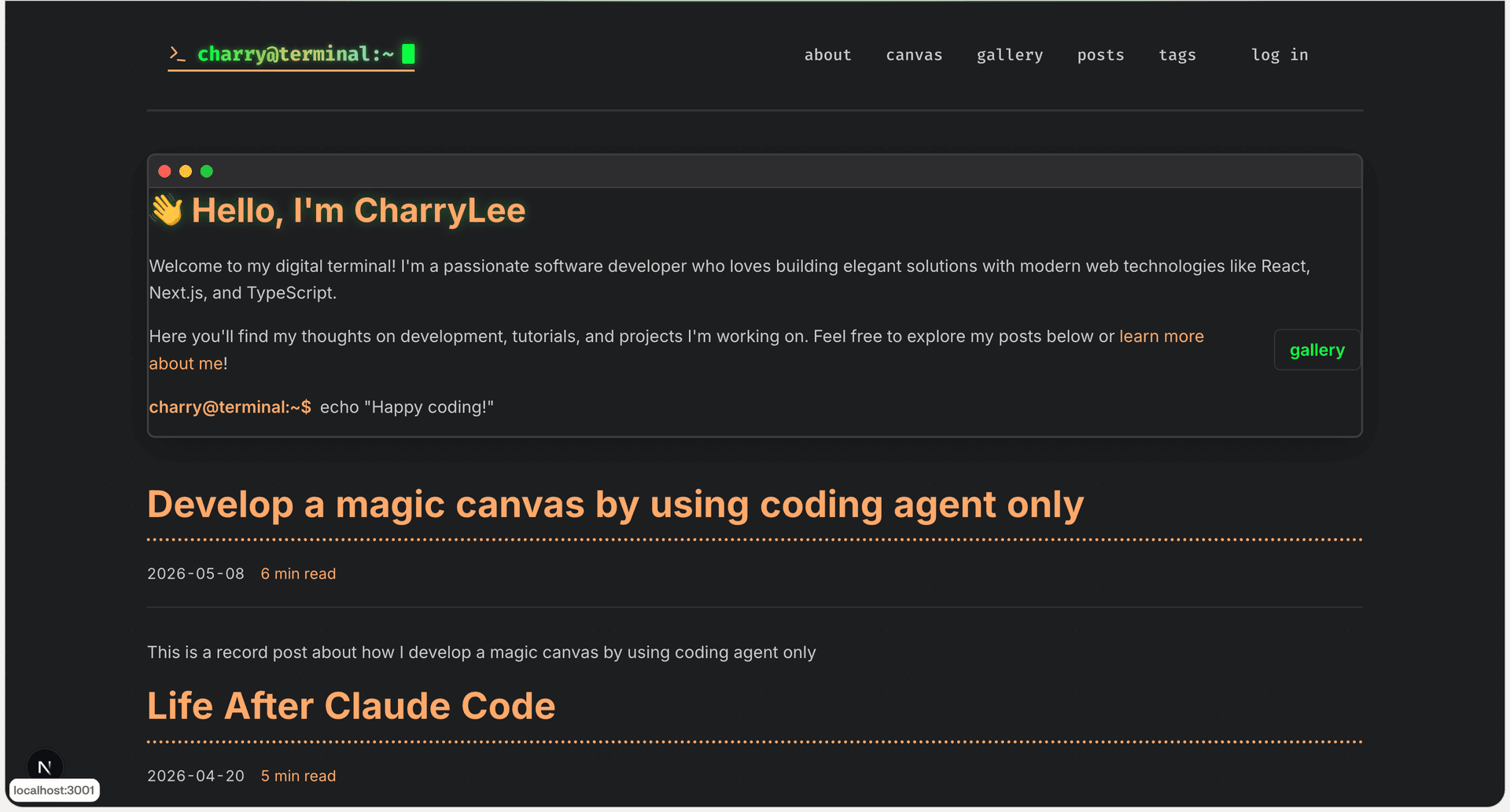
2.2 Debug Prompt 1 --> change the page padding smaller
Before debugging:
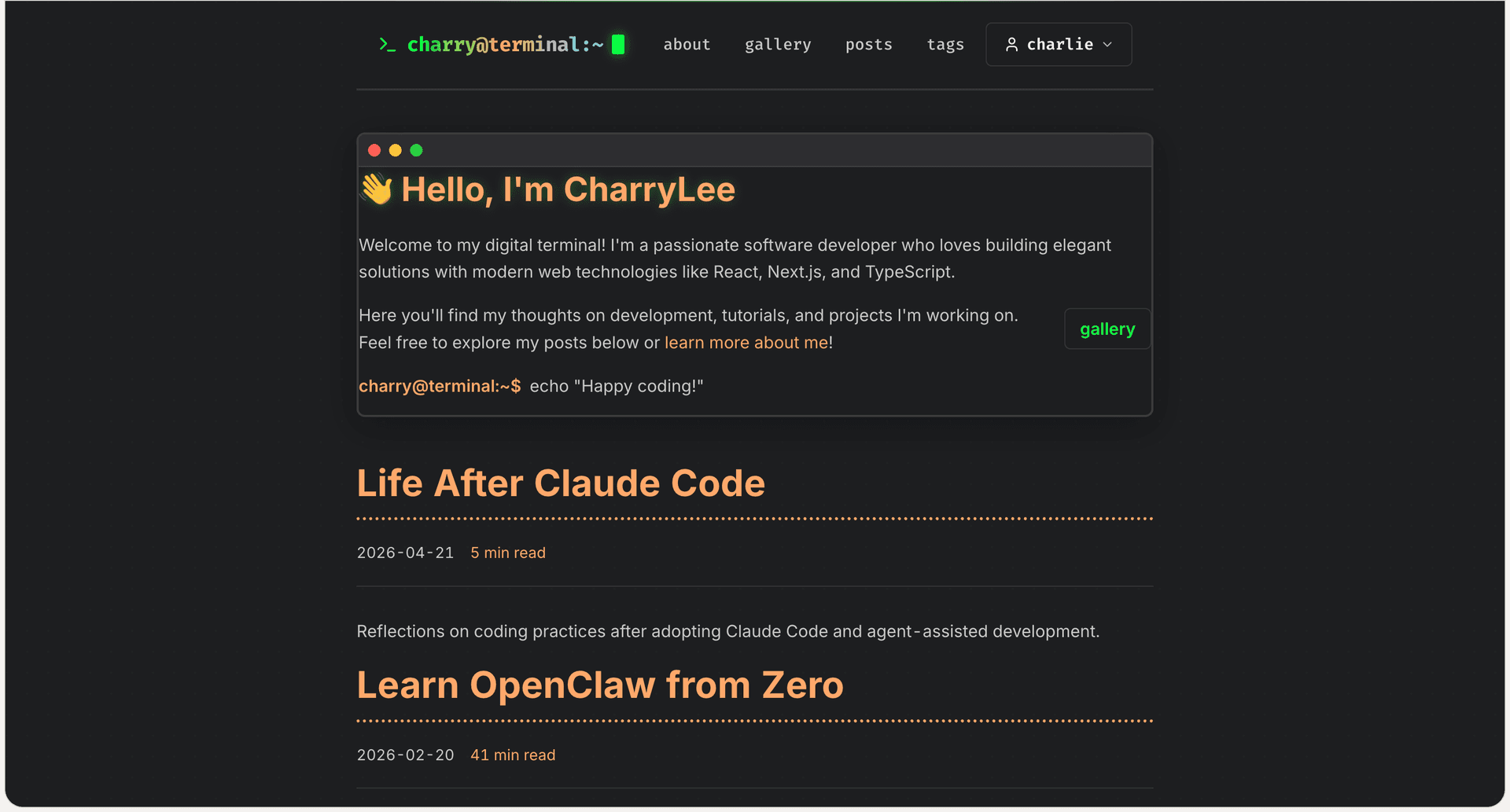
Prompt:
[Image #1] Look at this website screenshot, I think that the left and right padding is too large. Can you reduce it by around 50%?
After debugging:
It looks better and works fine with responsive design.
2.3 Debug Prompt 2 --> change the canvas UI/UX design
Before debugging:
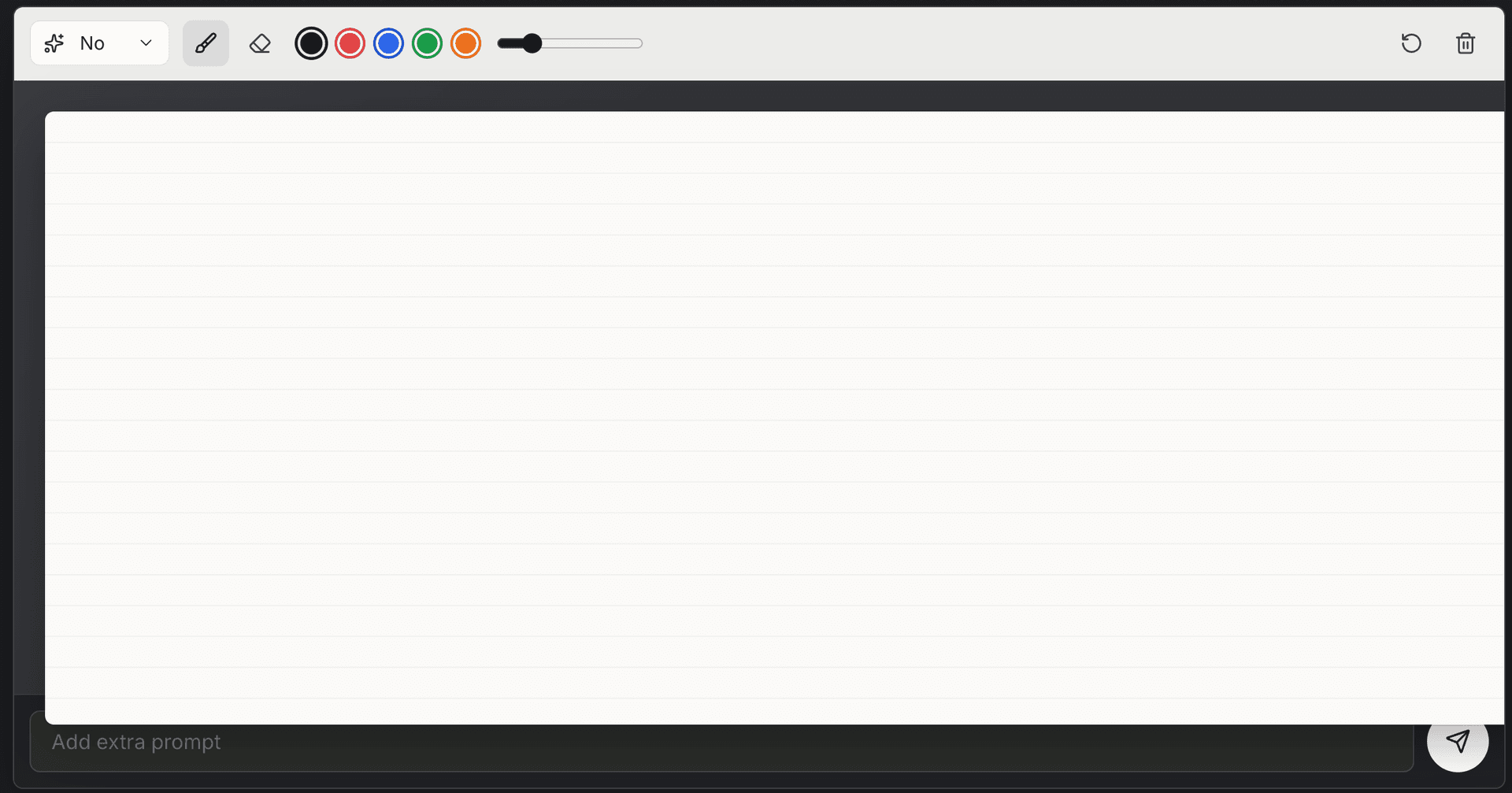
Prompt:
[Image #1] Analyze this UI, I found those issues, resolve all issues for me please
- the canvas should be a blank page style but not notebook page style with lines;
- the canvas whiteboard is not in the middle;
- the canvas whiteboard should have margin for all directions;
- the canvas whiteboard overlaps extra prompt inputfield and the generate button;
After debugging:
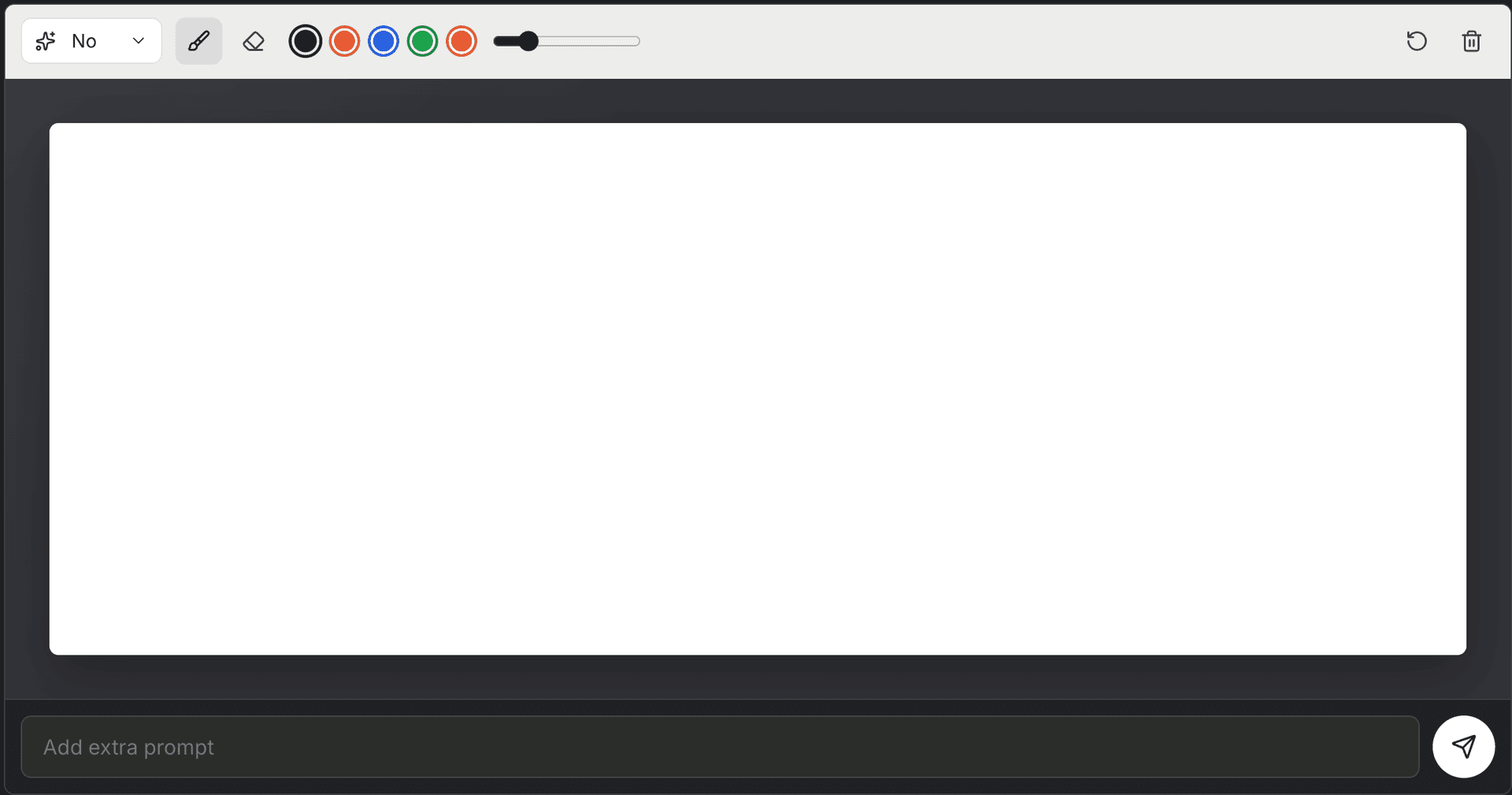
It looks better and works fine with responsive design.
2.4 Debug Prompt 3 --> add more UX functions for the canvas
Prompt:
[Image #1] Analyze this UI when an image generated, I found these issues. Fix them all for me.
- This download button will go to this image's link, but I want this button directly start a download task to the browser;
- When I click this image, I want it to be previewed inside of this page, when I click the black part or the close button it will turn back to this stage just like gallery post images preview;
- Is there any way to know the progress of fal ai image generation progress? If so, show it in loading animation. If not, just keep this design that's fine
After debugging:
- the download button will directly start a download task to the browser;
- the in-page preview is implemented and works fine;
- the percentage of fal ai image generation progress is not implemented because of fal ai's limitationl, but the loading animation will tell the user the current stage;
2.5 Unit Testing
Prompt:
generate unit test cases for canvas related ts files.
Result:
The test cases are generated and the test coverage is good.
2.6 Update documeentations
Prompt:
update README.md and TECH.md. And update README.cn.md based on the updated README.md
Result:
The documentation is updated and the README.md and TECH.md are updated. README.cn.md is also updated based on the updated README.md.
3. Conclusion
I developed a magic canvas by using coding agent only. The agent did the coding job very well, the canvas works well. I also did some debugging and unit testing. The documentation is also updated. And it helped me to verify my idea very quickly. I built this prototype by around 1 hour.